


Migrate Power Automate Flows: 5 Hidden Truths That Blindside Consultants
There is a specific kind of silence in a stakeholder meeting that you learn to recognize after enough projects. It is not confusion exactly. It is the quiet that happens when someone has just realized the question they asked was the wrong question.
In 2020, inside a Microsoft 365 tenant migration project, a business stakeholder leaned forward and asked something that felt, on the surface, entirely reasonable. Could we migrate Power Automate flows to the new tenant? It was asked the way people ask if a piece of furniture will fit through a door. As if the answer were mostly a matte of measuring.
The answer, at that time, was no. Not in any meaningful automated sense. The answer was: your users built these things, and your users will need to rebuild them. And the silence that followed that answer carried a weight that took the rest of the project to fully unpack.
That moment was not usual. It was a pattern. And is still playing out in enterprise meeting rooms today, even as the tooling has evolved and the admin portal has grown more capable. The fundamental challenge of deciding how to migrate Power Automate flows to a new tenant is not primarily a technical one. It is a human one. It always has been.
The Question Nobody Fully Understands Until It Is Too Late
When a business stakeholder asks whether Power Automate flows can be migrated, they are usually asking something slightly different underneath. They are asking whether their operations will survive the transition intact. They are asking whether the small automations their team quietly built over the previous two or three years will still be there on the other side.
Most of the time, they do not have a full picture of what those automations actually are. That is not negligence. It is the nature of the Power Platform. users build things. They solve smal problems. They connect a form to a spreadsheet, route an approval through Teams, pull data from a SQL database at midnight and push it somewhere else by morning. They do this without raising a ticket, without filing a change request, without telling anyone in IT.
And then a tenant migration arrives on the roadmap, and suddenly those invinsible threads become the most important conversation in the room.
The first hones thing a consultant owes a stakeholder in this situation is a correction of the question itself. The question is not only whether flows can be moved. The question is what flows exists, who owns them, what they depend on, and whether any of those dependencies are also moving.
What Microsoft Could and Could not do in 2020
The Discovery Problem: When Users Are the Inventory
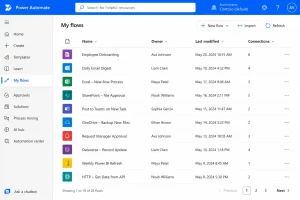
What that process revealed we a familiar problem. When you ask users to self-report what automations they have built, you get an incomplete picture. Not because people are dishonest. Because most user do not think of a Power Automate flow as an infrastructure component. They think of it as a shortcut they made one afternoon.
Some of those shortcuts were running critical business processes.
The advice given to the project manager at the time was practical and specific. Communicate early. Give users clear instructions on what to export and what to document. Emphasize the data dependency. Tell them that if they built a flow connected to a SQL database or a SharePoint list that is part of the migration scope, they should not try to reconnect it until the data has been confirmed in the new location.
That sounds straightforward. In practice, it multiplied the number of people who needed to make decisions and take action within a timeline that had not originally accounted for them.
How to Migrate Power Automate Flows Without Losing Your Mind or Your Timeline

Orphaned Flows, Deleted Accounts, and Data That Just Disappears
What has Changed, and What Still Has Not
What Microsoft Needs to Build Next

Before You walk Into That First Meeting
That sentence is the foundation of every honest conversation that follows. You can use tools to discover what exists. You can use tools to understand the scope. You can map dependencies, identify data flows, and produce a picture of the Power Platform landscape that is cleaner than anything that was possible five years ago.
